Deploying applications is a crucial part of the whole development process and sometimes I just need to quickly push a few updates to the server. This is where Laravel Envoy comes in handy. It's a simple tool that lets you execute shell commands on a remote server. In this article, I will write a simple Envoy script for updating the application via SSH and Git.
Prerequisites
Before we start working on the deployment script, please ensure that you have:
SSH access to your remote server
Git repository of your project cloned on the remote machine
Permissions to perform Git pulls for the project repository on the remote machine
Great! Now we can continue.
Install Laravel Envoy
We use Composer to install Laravel Envoy.
composer require laravel/envoy --devOnce installed, you should be able to run it.
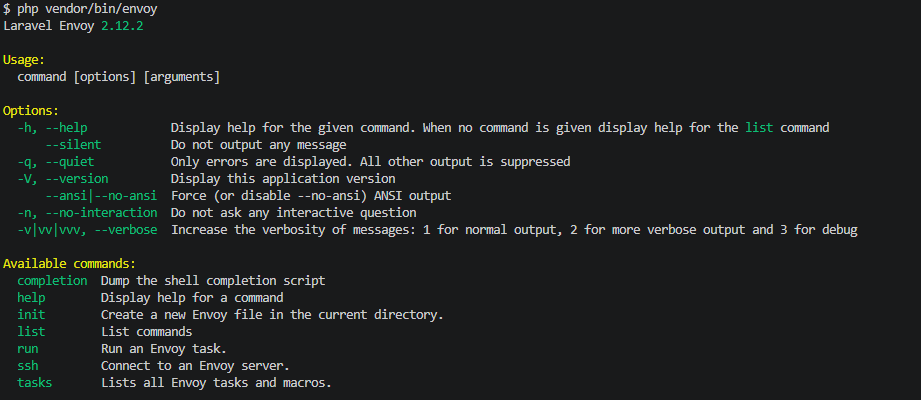
php vendor/bin/envoyIt will output the version and a list of available commands.
Envoy Script
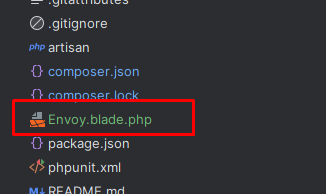
First, we have to create an empty Envoy.blade.php file in the application root.
Next, we need to set up a connection to the remote server. We will connect to the server via SSH using a private key.
@servers(['app' => ['-i C:\Users\mark\.ssh\pkey mark@78.105.213.180']])Remotely executed shell commands are grouped into Envoy tasks, which are defined within the @task directive. So, let's define the deployment task.
@task('deploy')
@endtask
Stop for a moment and think about the necessary shell commands for deploying our app:
Locate our project directory
Put the application into maintenance mode
Retrieve changes from the Git repository
Migrate the database
Update the modules
Refresh the configuration
Disable maintenance mode
Ok, bearing this in mind, we can write down our deployment task.
@task('deploy')
    cd /var/www/app
    php artisan down
    git pull
    php artisan migrate --force
    composer install --no-dev
    composer dump-autoload
    php artisan config:cache
    php artisan up
@endtask
Great, let's try it out! Envoy tasks are invoked in a similar way to Artisan commands - we just need to call Envoy with run command and specify the task name.
php vendor/bin/envoy run deployIt will output logs for each running command.
Conclusion
If necessary, we can specify the Git branch that should be pulled using Envoy task variables. We can also call tasks on multiple servers or even locally. There is also an option to send notifications to third-party messaging services. Just follow the official Laravel Envoy documentation.
The final code is here.
@servers(['app' => ['-i C:\Users\mark\.ssh\pkey mark@78.105.213.180']])

@task('deploy')
    cd /var/www/app
    php artisan down
    git pull
    php artisan migrate --force
    composer install --no-dev
    composer dump-autoload
    php artisan config:cache
    php artisan up
@endtask